

Dbook Event Management
WordPress & WooCommerce User Guide
Sell event tickets directly on your WordPress website with 0% third-party ticketing commissions. Automate dynamic QR pass generation, dispatch verified WhatsApp & Email tickets, and verify guests at the gate in under 0.2 seconds.
Plugin Overview & Architecture
Dbook Event Management is the official WordPress plugin developed by DigitalBook Solutions PVT LTD, India. It turns any WordPress website into an enterprise-grade event ticketing platform while ensuring 0% third-party commission.
Keep 100% Revenue
Payments go straight to your own payment gateway (Stripe, PayPal, Razorpay, UPI). Dbook takes 0% cut.
Meta WhatsApp Cloud
Automated Meta Cloud WhatsApp API dispatches dynamic QR passes with attendee names within seconds.
0.2s Gate Check-In
Verify attendees instantly using the free Dbook Mobile App on Android and iOS with offline scanning.
How It Works Behind the Scenes
- Event Creation in WordPress: You create events and ticket tiers in your WordPress admin.
- Cloud Synchronization: The plugin securely registers the event with Dbook Cloud API (
https://api.dbook.in) using your private API key. - Guest Purchases Ticket: Attendees select tickets on your site and pay via WooCommerce.
- Instant Pass Generation: Dbook Cloud cryptographically generates dynamic QR passes and dispatches them via WhatsApp and Email.
- Venue Gate Check-In: Gate staff scan tickets with the Dbook Mobile App, updating live attendance in your WordPress admin.
Installation & System Requirements
Simple 3-Step Setup
Download & Upload the Plugin
Download dbook-event-management.zip directly from this page or install it via your WordPress Admin.
Activate the Plugin
Click Activate Plugin. You will notice a new top-level menu item titled Dbook Events in your left admin sidebar.
Connect Your API Key
Navigate to Dbook Events > Settings & API, enter your Dbook live API Key, and click Test Connection & Save.
Dbook API Key & Credits Management
Your Dbook API Key (format: dbk_live_...) authenticates your WordPress site with Dbook Cloud. It enables secure event synchronization, attendance queries, and ticket issuance.
Log in to your Dbook account at dbook.in/dashboard/integration. Under the API Credentials tab, click Generate API Key and copy the generated token.
Understanding Credit Consumption
Dbook operates on a transparent, pay-as-you-go credit system for pass generation and cloud delivery. There are no monthly subscriptions:
| Delivery Mode | Credits Per Ticket | Included Channels | Best Suited For |
|---|---|---|---|
| Email & WhatsApp | 4 Credits | Meta Verified WhatsApp chat + Transactional Email | Maximum attendee convenience and open rate |
| Email Only | 2 Credits | HTML Transactional Email with printable QR pass | International attendees without active WhatsApp numbers |
| WhatsApp Only | 2 Credits | Direct Meta WhatsApp Business message | Fastest mobile-first gate check-in workflows |
Creating & Publishing Events
The plugin features a tailored, high-productivity Event Editor under Dbook Events > Add New Event designed specifically for event organizers.
Key Event Fields
- Event Title & Slug: Name of your concert, conference, festival, or seminar.
- Event Schedule: Starting date & time, with optional ending date & time for multi-day events.
- Venue & Location: Venue name, street address, city, state, and an optional Google Maps URL for 1-click attendee directions.
- Event Descriptions: Short teaser summary plus full rich-text event description with formatting and images.
- Poster Artwork: Upload high-resolution event artwork via the native WordPress Media Library.
- Legal Terms & Policies: Dedicated tabs for Terms & Conditions and Refund Policies that sync directly to attendee pass links.
Multi-Currency Pricing Tiers & Coupons
Configure unlimited ticket tiers per event with independent pricing, capacity quotas, and custom descriptions.
Global Currency Freedom
Choose your event currency freely from the dropdown: USD ($), EUR (€), GBP (£), INR (₹), CAD, AUD, and all currencies supported by your WooCommerce payment gateway.
Native Promo Coupons
Create promo codes with fixed amount or percentage discounts (e.g. EARLYBIRD20 for 20% off) applied directly in the ticket selector widget.
Ticket Delivery Channels & WhatsApp Templates
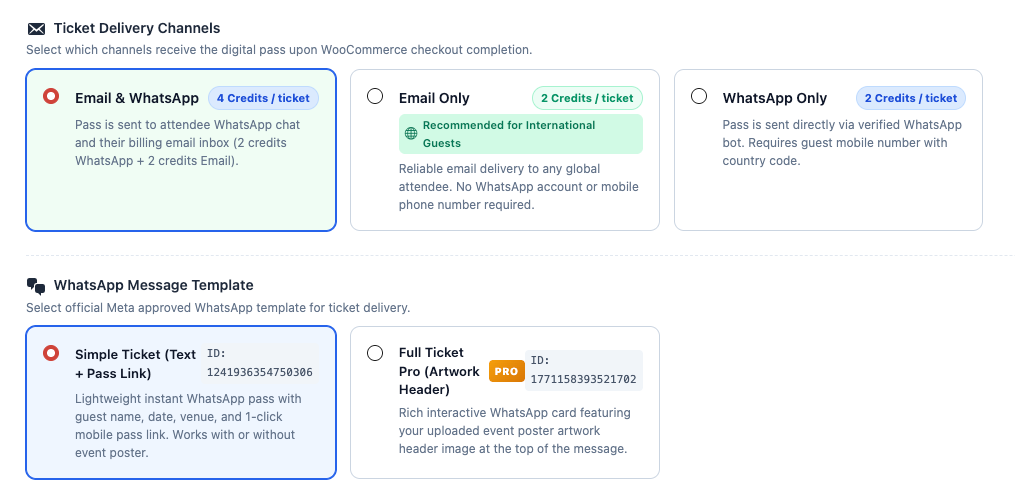
Tailor how attendees receive their tickets based on your guest demographics. International guests without active WhatsApp accounts can be catered to seamlessly with Email Only delivery.
Meta WhatsApp Message Templates
Simple Ticket (Text + Pass Link)
Lightweight instant WhatsApp pass containing guest name, event date, venue address, and a 1-click mobile pass link. Works with or without event poster artwork.
Full Ticket Pro (Artwork Header)
Rich interactive WhatsApp message featuring your uploaded event poster artwork header image at the top of the message. Requires an uploaded poster.
Attendee Pass Layout Design Studio (7 Layouts)
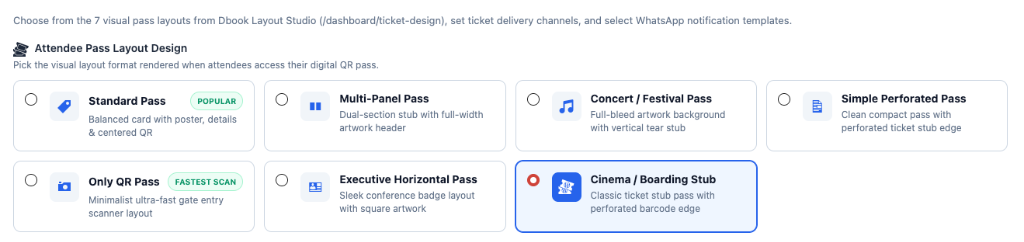
Every event has its own brand identity. Dbook provides 7 visually distinct digital pass layouts crafted in the Dbook Layout Studio. When an attendee opens their ticket pass link on mobile, it renders in your chosen format:
Frontend Ticket Selector & WooCommerce Checkout
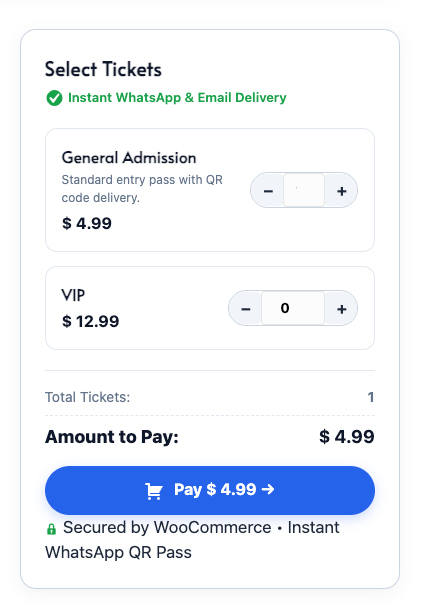
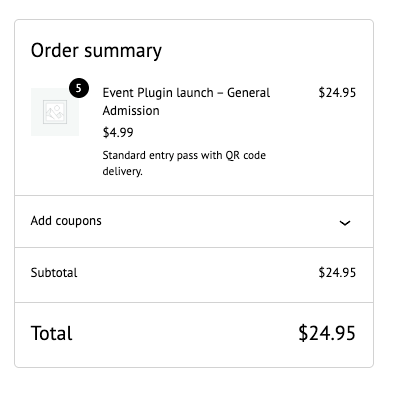
Attendees select their desired ticket tier quantities using the frontend ticket selector. The component dynamically calculates totals and sends the order directly to WooCommerce checkout:
Automated Order Status Completion
Because Dbook event tickets are digital e-tickets dispatched immediately via WhatsApp and Email upon payment, the plugin automatically marks WooCommerce orders as Completed as soon as payment is confirmed by your gateway (e.g. PayPal, Stripe, Razorpay). This prevents orders from getting stuck in "Processing" status and guarantees immediate pass dispatch.
Live Ticket Status & Attendance Dashboard
Navigate to Dbook Events > Ticket Status in your WordPress admin to inspect all issued passes across your events in real time.
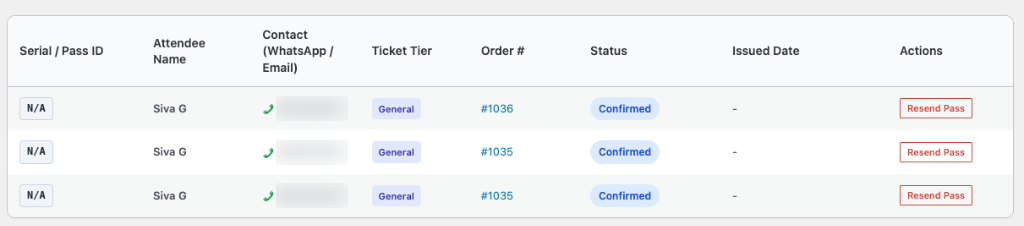
Key Features of the Attendance Portal
- Sequential Ticket Serial Numbers: Every attendee receives a unique sequential ticket serial (e.g.
#1001,#1002) mapped to their ticket tier. - Attendee Contact Info: View attendee WhatsApp mobile number with country code and billing email address.
- Live Gate Attendance Stats: Monitor total registered tickets vs verified checked-in guests in real time as gate scanners scan passes.
- 1-Click Pass Resend: If a guest deleted their email or misplaced their WhatsApp chat, click Resend Pass to re-dispatch their digital pass instantly.
Venue Gate Check-In & Offline Mobile Scanner
Say goodbye to paper attendee lists. Verify guests at the entrance using the free **Dbook Event Management** mobile app available for Android and iOS.
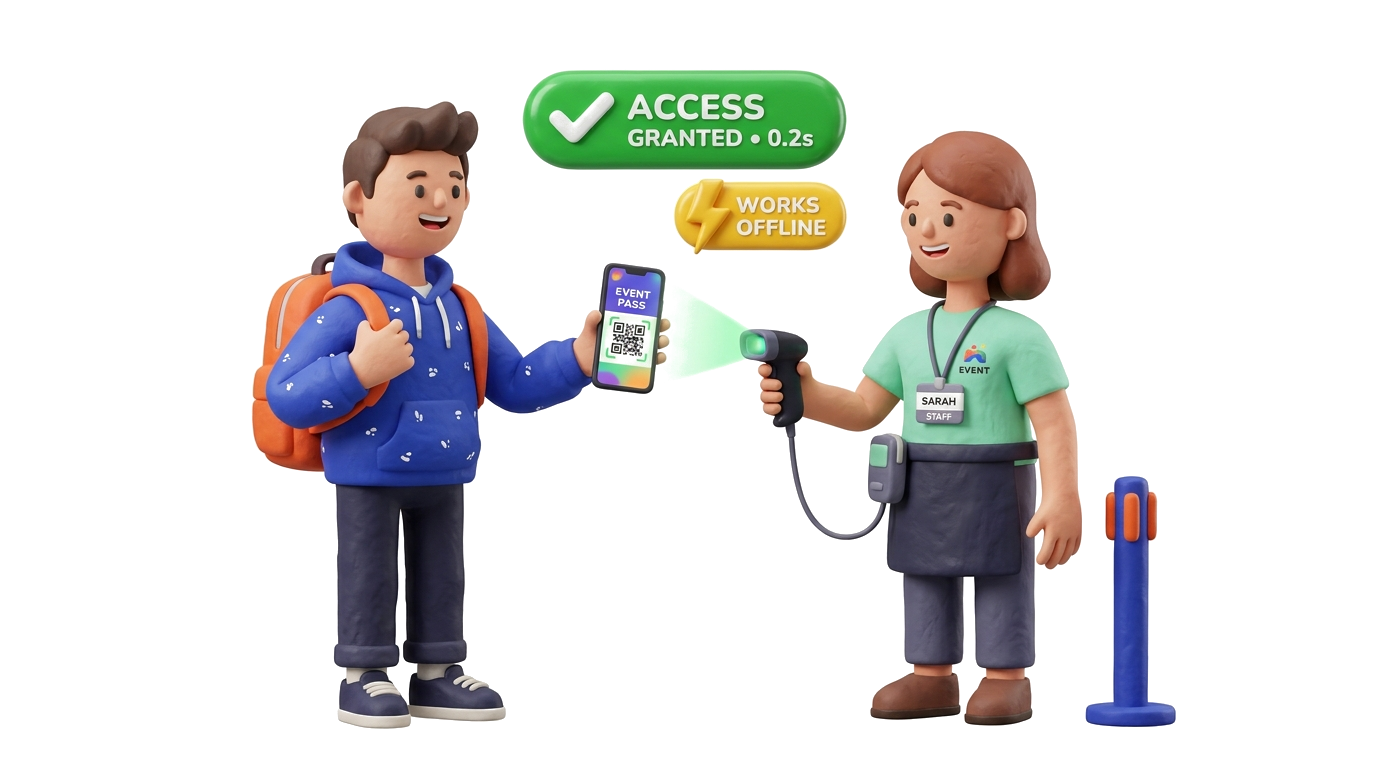
- Sub-0.2s Scan Speed: High-speed camera recognition scans QR passes even on cracked or dimmed phone screens.
- Offline Verification: Scans and validates passes even if venue mobile reception or Wi-Fi drops completely.
- Anti-Passback & Fraud Prevention: Prevents screenshot sharing by alerting gate staff immediately if a pass has already been scanned.
- Multi-Gate Synchronization: Syncs attendance across multiple staff entrance lanes automatically.


Shortcodes & Page Builder Integration
Design custom event landing pages using Elementor, Beaver Builder, Divi, or Gutenberg, and drop the ticket selector component anywhere using simple shortcodes:
1. Ticket Selector Block
Embed the ticket tier quantity selector and Pay button into any page, post, or popup:
[dbook_ticket_selector id="YOUR_EVENT_POST_ID"]
2. Full Event Landing Page
Render the complete responsive event hero, schedule, venue map, description, and ticket selector:
[dbook_event id="YOUR_EVENT_POST_ID"]
3. Public Attendee Ticket Lookup Portal
Allow guests to look up and reprint their passes using their email or phone number:
[dbook_ticket_status]
WordPress.org Guidelines & External Service Disclosure
In strict compliance with WordPress.org Detailed Plugin Guidelines (Guideline #6), this section discloses all interactions with external cloud systems:
Service Provider & Operations
- Maker & Operator: DigitalBook Solutions PVT LTD, India (dbook.in)
- Cloud Endpoint:
https://api.dbook.in(Encrypted TLS 1.3 HTTPS) - Purpose: Generating cryptographic dynamic QR passes, delivering Meta WhatsApp and transactional email passes, and synchronizing gate attendance.
- Customer Support Email: admin@dbook.co.in
Data Transmission & Privacy Protection
Only necessary event details (title, dates, venue, pricing tiers) and attendee checkout details (name, email, phone number for WhatsApp pass delivery) are securely transmitted upon order completion.
✔ No credit card, bank account, or payment gateway credentials are EVER transmitted to or stored on Dbook Cloud. All financial transactions are processed entirely by your WordPress WooCommerce payment gateways.
Frequently Asked Questions & Support
[dbook_ticket_status] lookup portal on your website.
Still Have Questions?
Our technical team in India is ready to assist you with installation, WooCommerce configuration, or custom theme development.